Classroom Timer Guide for Student Focus
Practical strategies for using classroom timers to manage lessons, transitions, reading blocks, and student engagement.
Why Classroom Timers Work for Student Focus
Time is a weird thing for kids, especially younger ones. Tell a class “you have ten minutes left” and it doesn’t really mean much to them. They cannot visualize ten minutes the way adults can. A visible countdown timer changes that. It turns an abstract number into something they can actually watch tick down. That visual cue clicks in a way words just don’t.
Studies back this up too. Visual timers help with a bunch of classroom challenges. Task initiation gets easier when students see a clock already running. They know the clock is ticking and they start faster because of it. Time estimation improves with repeated exposure. After a few weeks of timed activities, students get better at judging how long things take on their own. Transitions become smoother when a timer tells everyone when cleanup ends instead of the teacher repeating “five more minutes” three times. And there is equity to it. Everyone sees the same deadline. No ambiguity, no arguing about whether someone got more time.
The science behind it is pretty straightforward. Our brains are wired to respond to visual progress. A shrinking bar or descending numbers trigger a sense of urgency that an open-ended deadline just does not. That is why you will see students snap to attention when the timer appears but drag their feet when you just give them a time verbally.
For teachers, the real win is reclaiming instructional time. Every minute you spend herding students through a transition is a minute lost from actual teaching. A good timer routine shaves those transitions down and gives you back precious class time.
Quick Start Checklist
- Open CleanStopwatch and set countdown mode
- Press F to go fullscreen for class-wide visibility
- Tell students exactly what to do before starting the timer
- Save your setup as a bookmark for one-click access next time
- Start with short durations (3-5 min) and gradually extend as students build focus stamina
Classroom Timer Best Practices
Always Show the End
Put the timer where every single student can see it. Project it on your main screen or use a dedicated monitor if you have one. Students should be able to glance up and know how much time is left without asking. The whole point is the timer does the work of keeping everyone on track so you do not have to.
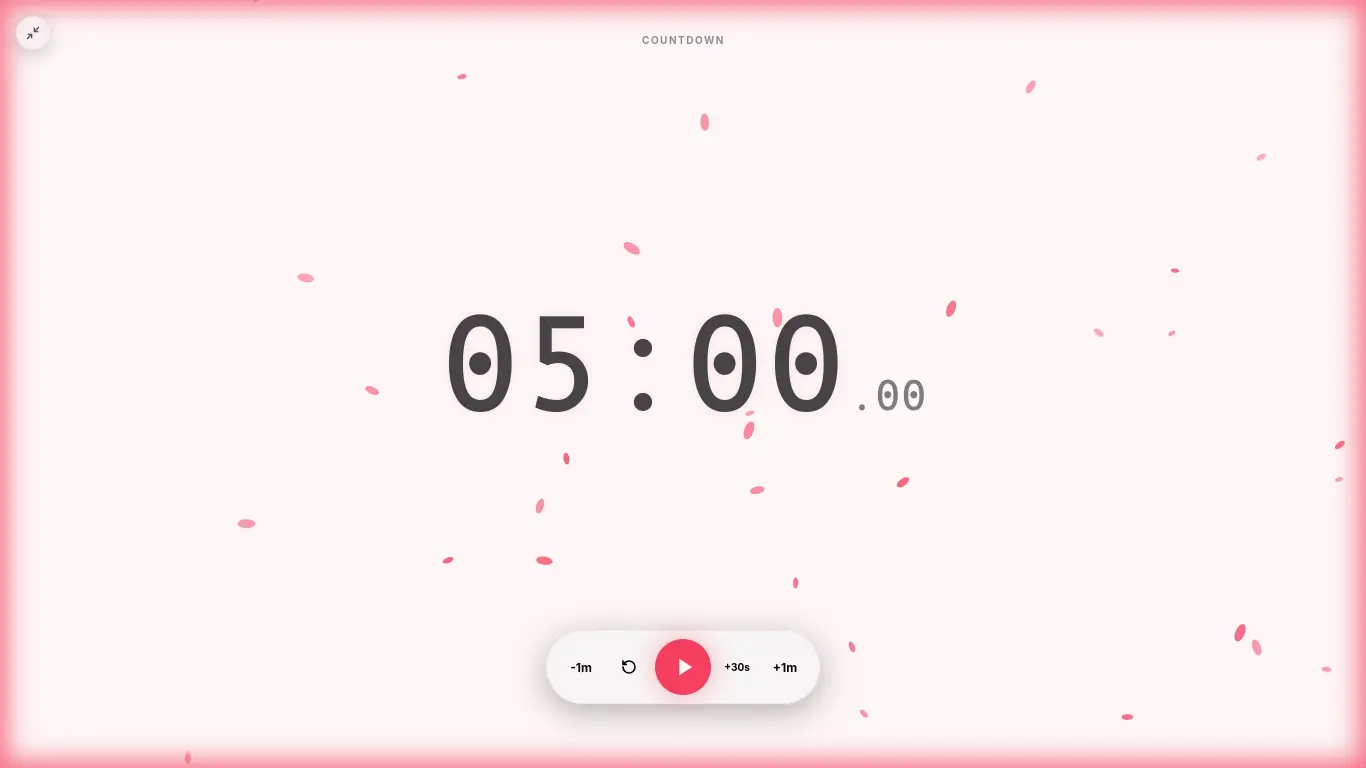
CleanStopwatch in full-screen mode works great for this. Hit the fullscreen button (or press F on your keyboard) and the numbers fill the whole screen. The large digital display is readable from the back of any room, even for students who might not have great vision.
Pair Timers with Clear Expectations
Here is a mistake almost every teacher makes at least once: dropping a timer on an activity without explaining what to do first. Don’t do that. Before you hit start, say exactly what needs to happen by the time it rings.
Something like: “You have 15 minutes to read pages 42 through 48 and write down three main ideas. When the timer hits zero, we will discuss as a class.”
That removes the guesswork. Students know both the time limit and what they need to produce. No one sits there wondering “wait, what are we doing?” for the first three minutes of a timed activity.
Use Different Timings for Different Tasks
Not every classroom activity needs the same kind of timer treatment. Here is a rough guide:
| Task Type | Suggested Time | Timer Mode |
|---|---|---|
| Bell ringer / warm-up | 3-5 min | Countdown |
| Reading passage | 10-15 min | Countdown |
| Group discussion | 5-8 min | Countdown |
| Independent work | 15-25 min | Countdown or Pomodoro |
| Quiz | Set by quiz length | Countdown |
| Clean up transition | 2-3 min | Countdown |
| Presentation | 2-5 min per student | Stopwatch |
The Pomodoro mode is nice for independent work because it automatically alternates focused work with short breaks. Your students get a rhythm going without you having to reset the timer every 25 minutes. On the free tier of CleanStopwatch you get 5 themes and 2 sounds, which is honestly enough for most classrooms. If you want the full 13 themes and 16 sounds plus custom accent colors, that is the Pro upgrade.
Keep Timers Visible, Not Dominant
A good classroom timer works in the background. It is not the main attraction. You want students to glance at it and know the time, not stare at it obsessively. CleanStopwatch keeps things minimal. Big numbers, no flashing animations, nothing that competes with your lesson.
Open the Configurator to tweak things. You can dial down the background opacity so the timer becomes almost transparent with just the numbers showing. Adjust the size to fit your screen setup. Match the color to your presentation theme or just keep it clean and simple.
Consider Your Students’ Age
What works for high schoolers probably will not work for kindergarteners. For early elementary, keep timers very short and concrete. Two to five minutes feels right. Pair the visual timer with a verbal warning at the halfway point. For upper elementary and middle school, you can stretch to ten or fifteen minutes. Teens can handle twenty-five minute blocks, especially with Pomodoro-style work sessions.
The key is building up gradually. Start with short timers for simple tasks. Once students get comfortable with the routine, you can extend the durations and introduce more complex timed activities.
Classroom Activities with Timers
Silent Reading
This is probably the most common use case, and for good reason. A timer turns silent reading from a vague “read until I say stop” into a focused block.
- Set a 20-minute countdown and project it.
- Students read independently for the full duration.
- When the timer rings, they turn to a partner and share one thing they read.
- Use the Configurator to save that reading timer as a preset you can pull up every day.
Having a consistent reading routine builds stamina. Students learn to focus for the full twenty minutes because they know exactly when the timer ends. There is no ambiguity.
Math Speed Round
Math drills work great with a stopwatch because students compete against themselves, not each other.
- Set a 3-minute stopwatch and start it.
- Students solve as many problems as they can before time runs out.
- Repeat for three rounds, tracking improvement.
- The visible timer creates urgency without the pressure of a grade. Students try to beat their own previous score.
Keep track of individual improvement over several weeks. You will see real growth in both speed and confidence.
Group Work Rotations
Station rotation can get chaotic without timing. Here is a simple rotation schedule:
- Station 1: 12 minutes
- Transition: 2 minutes
- Station 2: 12 minutes
- Transition: 2 minutes
- Station 3: 12 minutes
You can project a single countdown that covers the whole rotation, or use Pomodoro mode to automate the work and break cycles. The transition timer is especially important. Two minutes sounds tight, but students will learn to wrap up quickly when they see the countdown.
Presentation Practice
Use the stopwatch to time student presentations. Each student gets:
- 3 minutes to present
- 2 minutes for Q&A
The stopwatch counts up so you know exactly how long each presentation takes. That is handy for grading and for pacing the whole class period. You can also use the lap feature (press L) to mark each presenter without stopping the timer, keeping the whole session running smoothly.
Test Prep Sessions
Timed practice tests are stressful enough without adding timer confusion. Set a countdown for the full test duration and project it. Students learn to pace themselves. They can see how much time they have left and adjust accordingly. After a few sessions, test anxiety goes down because the timer becomes familiar instead of intimidating.
Common Classroom Timer Mistakes
Set it and forget it. A timer is not a substitute for instruction. Always explain the task before you hit start. The best timer in the world does nothing if students do not know what they are supposed to be doing.
Inconsistent use. Use timers every day, not just for special activities. Students need regular repetition to build their time awareness. If you only break out the timer once a week, it feels like a novelty instead of a routine tool.
Ignore the alarm. When the timer rings, actually stop the activity. If you regularly extend time past the alarm, students learn to tune it out. They will keep working because the consequence of ignoring the timer is nothing. Be strict about it and they will respect the boundary.
Over-timing. Not everything needs a timer. Use them for transitions, timed tasks, and building time awareness. Free-form creative work sometimes works better with longer, open-ended blocks. Use your judgment.
Hiding the timer. If you put the timer on a laptop screen that only you can see, you are missing the point. Students need to see it too. Project it.
Setting Up Your Classroom Timer Station
- Open cleanstopwatch.com/classroom-timer on your teaching computer.
- Select Countdown as your default mode.
- Go full-screen. Press F or click the full-screen button.
- Bookmark the page so you can get to it instantly.
For reusable timer configurations, use the Configurator to create different presets for different activities. Bookmark each one. That way you can jump from a reading timer to a math drill timer in one click instead of resetting every time.
If your school has a projector setup, consider keeping CleanStopwatch open in a dedicated browser tab all day. Just switch to it when you need it.
What About the Free Tier
The free tier gives you 5 themes, 2 sounds (Default Chime and Classic Beep), and durations up to 120 minutes. That is plenty for most classroom needs. You do not need to sign up or create an account. Just open the site and start timing. There are ads on the free tier, but they are not intrusive enough to be a distraction in a classroom setting.
If you want the full 13 themes, 16 sounds, and custom accent colors with no ads, Pro is the upgrade. The ad-free experience and extra themes can be nice if you are projecting the timer all day and want it to match your classroom aesthetic.
Start Your Next Classroom Session
Make time visual for your students today.
Open Free Classroom Timer
Related Guides
- Best Classroom Timer for Teachers (Free 2026) — Why CleanStopwatch is the best choice for classrooms.
- Setting Up a Custom OBS Timer Overlay for Streamers — Useful if you record or livestream your lessons.
- Mastering the Pomodoro Technique for Study Focus — Adapt the Pomodoro method for student independent work.
Quick Links
- Open Classroom Timer — start immediately
- Configurator — customize colors, sounds, and intervals
- All Guides — browse more teaching and productivity guides