StudyNo. —— · Field note7 min
Aesthetic Lo-Fi Study Timer: Focus with Ambient Web Audio
Create a cozy, distraction-free study space with real-time procedural lo-fi chords, binaural beats, and minimalist aesthetic themes. No video ads or buffering.
Updated 2026-09-28Free guideOpen the timer →
The Anatomy of an Aesthetic Study Session
Anyone who has tried studying with an ordinary kitchen timer or standard microwave-style digital clock knows the feeling: harsh red digits, loud mechanical ticking, and an abrupt, heart-stopping buzzer at the end of every interval. Far from fostering calm, deep focus, conventional timers introduce low-grade performance anxiety.
An aesthetic study environment is intentional. It strips away high-friction visual noise, aligns with your digital workspace aesthetics, and provides soothing, continuous auditory grounding. Whether you are running late-night study sessions, preparing for medical or law board exams, or organizing a desk setup, your timer should feel like a calming workspace companion rather than an aggressive countdown to a deadline.
CleanStopwatch pairs clean, typography-driven visual design with a built-in procedural sound engine. It gives you full control over aesthetic themes, interval pacing, and real-time synthesized audio without forcing you to juggle browser tabs or battle intrusive advertisements.
The Hidden Friction of YouTube and Spotify Study Streams
Many students pair a timer tab with a “lo-fi hip hop radio” live stream on YouTube or a curated study playlist on Spotify. While well-intentioned, this setup introduces three persistent points of friction:
- Bandwidth and Battery Drain: Video-based study streams decode continuous 1080p video streams in the background, consuming substantial CPU cycles and draining laptop battery life during long library sessions.
- Tab Switching and Algorithmic Rabbit Holes: YouTube’s sidebar recommendations and Spotify’s algorithmic popups invite distraction every time you switch windows to pause or adjust an interval.
- Audio Inconsistencies: Background playlists frequently feature tracks with jarring volume swings, sudden vocal samples, or abrupt commercial interruptions that shatter your train of thought.
Zero-Bandwidth Procedural Audio: Synthesized in Real Time
CleanStopwatch solves the audio problem through native Web Audio synthesis. Rather than streaming or decoding static, repetitive MP3 files, the application generates soundscapes mathematically in real time directly on your device’s sound processor:
- Lo-Fi Chords: Procedurally voiced electric piano chords with gentle filtering, creating an unobtrusive acoustic pulse that anchors your focus.
- Binaural Beats: Dual-frequency sinusoidal waves calibrated to promote alpha brainwave activity (8–13 Hz), scientifically linked to relaxed alertness and flow states.
- Puddles & Rain: Algorithmic pink noise modeled after rainfall on glass, masking unpredictable background noise (roommates, coffee shop clatter, traffic) without harsh high frequencies.
- Zen & Cosmic Soundscapes: Sparse harmonic resonances designed to quiet internal mental chatter during difficult reading blocks.
Because these soundscapes are synthesized programmatically, they use virtually zero internet bandwidth, cache instantly for offline library study, and never stutter or buffer.
Pairing Visual Themes with Your Study Routine
Your workspace color scheme sets the emotional tone for your study blocks. CleanStopwatch includes a wide range of presets available through the Theme Gallery:
| Theme Preset | Color Profile | Best Use Case |
|---|---|---|
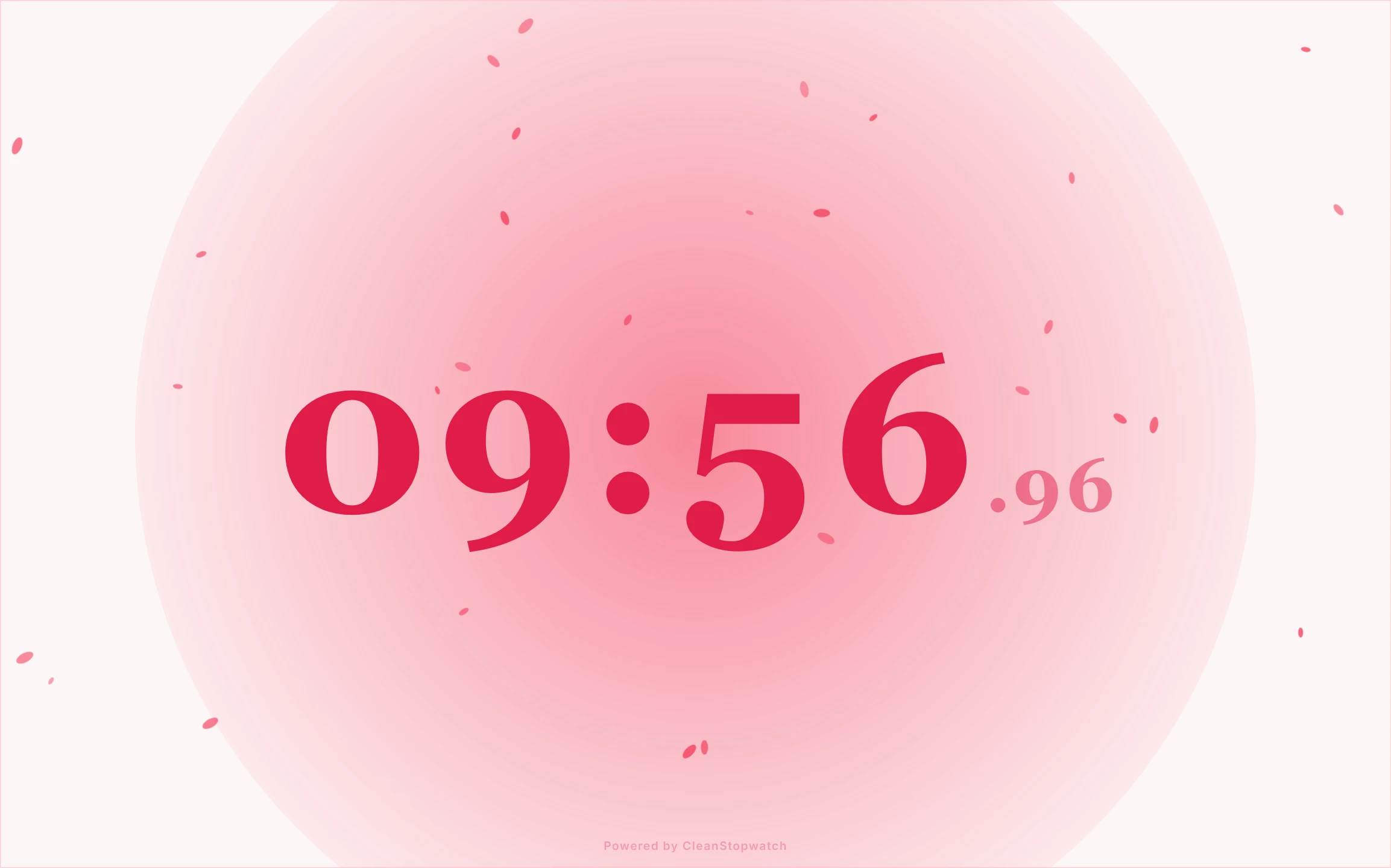
| Sakura | Pastel cherry blossom pink & soft charcoal | Cozy daytime study, language learning, reading blocks |
| Ghibli | Forest green, earthy cream, and soft gold | Extended deep-work sprints, creative writing, research |
| OLED Void | True pitch black (#000000) with crisp contrast |
Late-night exam prep, reducing eye fatigue in dark rooms |
| Vaporwave | Electric lavender, cyan, and retro sunset tones | High-energy coding sessions, active revision cycles |
| Pixel | Retro green phosphor and monospace digital digits | Engineering problem sets, technical documentation |
If you have specific hex codes matching your Notion dashboard or operating system window manager, you can fine-tune every color parameter directly inside the Embed Configurator.
Intelligent Audio Ducking & Gentle Alarms
A common flaw in multi-app study setups is missing your timer alert because your music is playing too loudly, or jumping out of your chair because an alarm screams over your headphones.
CleanStopwatch features automatic audio ducking. When an active Pomodoro work interval or countdown reaches zero:
- The continuous ambient background audio smoothly attenuates (ducks) by 80% over 300 milliseconds.
- A melodic completion chime (such as Void Bell, Secret Glint, or Gentle) plays through the foreground channel with crystal clarity.
- Once acknowledged, the audio engine smoothly returns to the resting level.
You stay aware of your intervals without triggering a fight-or-flight cortisol response.
Recommended Study Routines & Pacing
Different subjects demand different mental pacing. You can configure custom work and break durations directly on the timer page:
The Classic Aesthetic Pomodoro (25/5)
- Work Block: 25 minutes
- Rest Interval: 5 minutes
- Long Break: 20 minutes (after 4 cycles)
- Best for: Flashcard review (Anki), administrative tasks, inbox cleanup, and overcoming initial study procrastination.
The Deep Work Block (50/10)
- Work Block: 50 minutes
- Rest Interval: 10 minutes
- Best for: Essay composition, mathematical proofs, reading complex papers, and programming. The 50-minute block allows 15 minutes to reach full flow state without premature interruption.
Open-Ended Flowmodoro
- Mode: Stopwatch (Counting up)
- Pacing: Work until your focus naturally ebbs, record a lap, and take a rest proportional to one-fifth of your elapsed time.
- Best for: Creative writing and open-ended research where rigid artificial alarms disrupt deep conceptual breakthroughs.
Step-by-Step Setup Guide
Follow these steps to set up your study environment in under 30 seconds:
- Launch the Timer: Open CleanStopwatch in any browser window.
- Select Mode: Choose between Pomodoro (structured cycles) or Countdown (fixed timebox).
- Choose Theme: Click the theme selector or visit the Theme Gallery to select a visual palette that matches your setup.
- Enable Ambient Audio: Open the ambient sound menu and select Lo-Fi Chords or Binaural Beats. Adjust volume to a comfortable background level.
- Fullscreen Zen Mode: Press the F key on your keyboard (or click the fullscreen icon) to expand the timer to fill your entire monitor.
- Keyboard Control: Press Space to start or pause your session, and press R to reset.
No signups, no accounts, and no background tracking scripts. CleanStopwatch runs entirely client-side, giving you a private, dependable study sanctuary every time you open a tab.
Try it live
Run this guide on a real timer.
Open the app side-by-side and follow along — no signup.