StudyNo. —— · Field note8 min
Visual Timer for ADHD: Overcoming Time Blindness Without Anxiety
How visual countdowns, single-second readouts, and gentle melodic chimes help neurodivergent brains manage time blindness, initiate tasks, and protect hyperfocus.
Updated 2026-09-28Free guideOpen the timer →
Understanding Time Blindness: The Temporal Horizon
If you have Attention-Deficit/Hyperactivity Disorder (ADHD) or executive function challenges, you likely experience what clinical psychologist Dr. Russell Barkley terms time blindness.
In neurotypical individuals, the brain maintains an intuitive, subconscious sense of passing time. For an ADHD brain, the temporal horizon operates differently. Time is largely categorized into two states:
- Now
- Not Now
When a deadline lives in “Not Now,” it lacks the emotional salience required to stimulate dopamine production and initiate action. When that deadline abruptly crosses into “Now,” it often arrives as a tidal wave of panic and urgency. This is not laziness or poor willpower; it is a neurological variance in how the prefrontal cortex processes temporal passage.
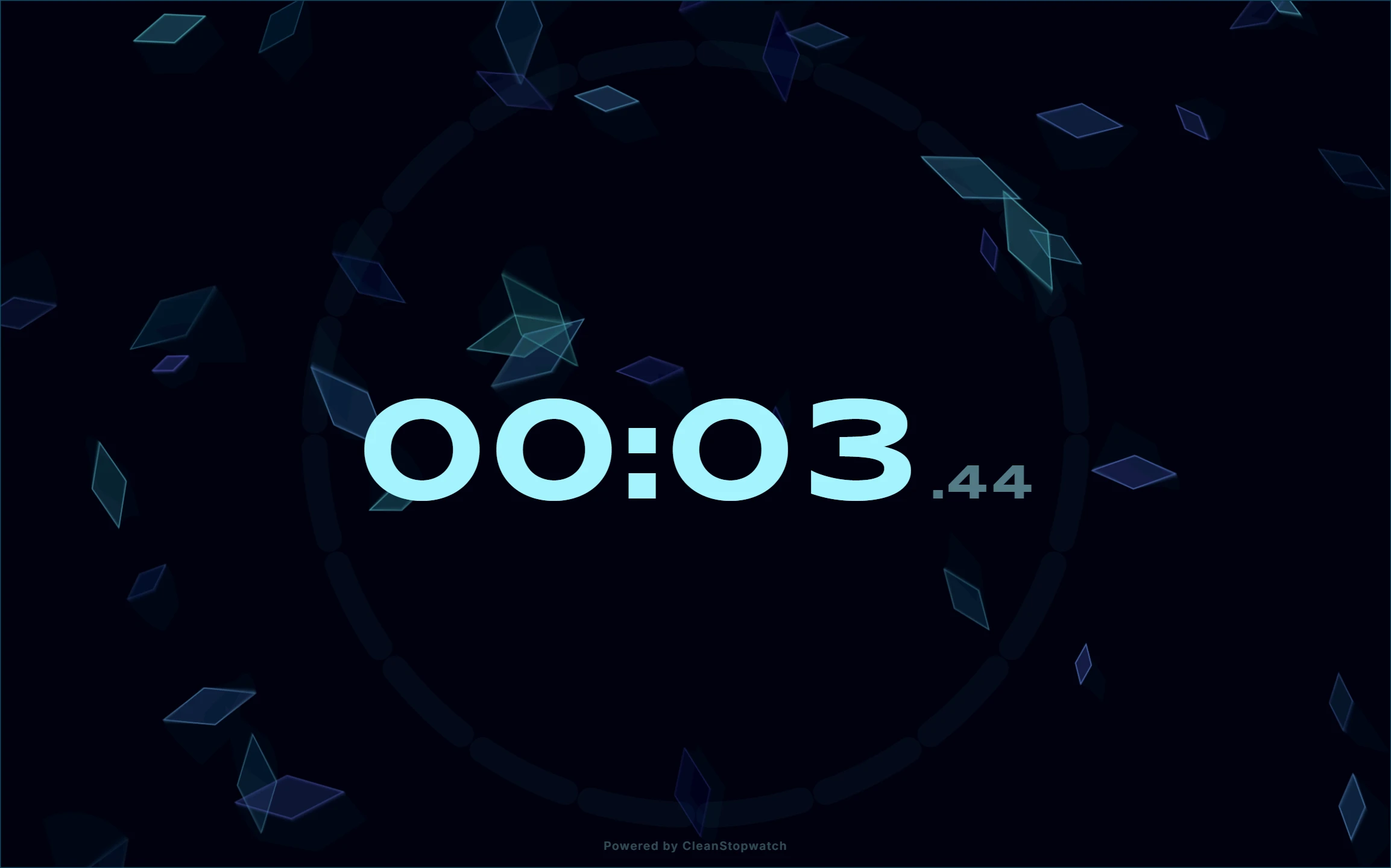
Standard digital clocks—which display static numerical digits like 10:42 AM—fail people with ADHD because numbers require abstract cognitive translation. To an ADHD brain, 45 minutes is an abstract concept. But a visual timer converts time from an abstract number into a concrete, physical shape that shrinks in real time.
Why Traditional Timers Trigger ADHD Panic and Burnout
Most people turn to productivity timers with good intentions, only to abandon them within days. Standard kitchen timers and phone alarms introduce sensory stressors that work directly against neurodivergent focus:
1. Mechanical Ticking & Sensory Overload
Auditory sensitivity is common among individuals with ADHD and autism. The relentless tick-tick-tick of an analog clock or mechanical kitchen timer is not neutral white noise; it actively competes for working memory, elevating background anxiety and provoking sensory overload.
2. The Flashing Millisecond Trap
Many digital online stopwatches display milliseconds by default (00:14:32.84). The rapid, high-speed flickering of hundredths of a second creates visual hyperactivity. Rather than calming your nervous system, it stimulates visual urgency, making tasks feel chaotic and frantic.
3. Harsh, Punitive Alarm Buzzers
The sudden shriek of a loud buzzer triggers a fight-or-flight cortisol surge. When ending a focus session is consistently punished with an abrasive alarm, your brain develops subconscious resistance to setting the timer in the first place.
4. Rigid Pomodoro Interruptions
The classic Pomodoro Technique demands a 5-minute break every 25 minutes. For an ADHD brain that took 20 minutes of struggle just to slip into deep hyperfocus, an arbitrary alarm at minute 25 shatters hard-won momentum. Once broken, restarting the task can be twice as difficult.
Sensory-Friendly Solutions: Designing a Low-Distraction Timer
CleanStopwatch was engineered to eliminate these exact friction points, offering an intentionally calm, sensory-friendly interface.
Hide Milliseconds Toggle
One of the most effective adjustments for neurodivergent focus is toggling off millisecond displays. CleanStopwatch provides a clean, single-second readout (14:30) rather than a blurred storm of numbers. You can view your progress without visual agitation.
Seeing Time as Space: Circular Progress Arcs
CleanStopwatch pairs numerical displays with a smooth, geometric circular progress indicator. By glancing at your screen, you do not have to calculate “how much is 18 minutes remaining out of 45.” You intuitively see that roughly one-third of the circle remains. This spatial representation bridges the gap between “now” and “not now.”
Gentle Melodic Chimes (Web Audio Synthesis)
Instead of harsh audio recordings, CleanStopwatch uses the Web Audio API to synthesize smooth, bell-like chimes (Void Bell, Secret Glint, Chime, and Gentle). The sound fades in cleanly and sustains with warm harmonics, signaling transition without startling you.
Ambient Soundscapes to Quiet Internal Chatter
ADHD brains frequently suffer from “under-arousal”—an internal restlessness that searches for external distractions. CleanStopwatch provides built-in procedural soundscapes:
- Binaural Beats: Dual-frequency audio that promotes steady cognitive rhythm.
- Pink Noise & Rain: A softer frequency spectrum than harsh white noise, ideal for blocking out distracting ambient household sounds.
The Flowmodoro Method: Protecting ADHD Hyperfocus
If rigid 25-minute timers continually break your concentration, switch from a countdown to the Flowmodoro Method using CleanStopwatch’s stopwatch mode:
| Step | Action | Why It Works for ADHD |
|---|---|---|
| 1. Start Counting Up | Launch the stopwatch when you begin a task. | Removes deadline anxiety and the dread of being interrupted. |
| 2. Ride Your Flow | Work until your focus naturally begins to wander (whether 18 min or 65 min). | Protects deep hyperfocus instead of interrupting peak cognition. |
| 3. Record a Lap | Hit the Lap button when you stop. | Provides clear historical validation of time spent. |
| 4. Take a Proportional Break | Rest for 1 minute for every 5 minutes worked. | Guarantees proper neural recovery without guilt. |
Break Duration = Total Focus Minutes ÷ 5
Example: 50 minutes of deep writing = 10-minute restorative break.
The 5-Minute Task Initiation Protocol
Task initiation paralysis is one of the most frustrating aspects of ADHD executive dysfunction. When a project feels overwhelming, the brain’s defense mechanism is avoidance.
Use this 5-minute launch protocol to bypass task initiation resistance:
- Open the Timer: Navigate to CleanStopwatch in a dedicated tab.
- Set a Micro-Timebox: Set a countdown for exactly 5 minutes.
- Establish Low Stakes: Tell yourself: “I only have to work on this for 5 minutes. If I still hate it when the chime rings, I am completely allowed to stop.”
- Enter Zen Mode: Press F on your keyboard to enter fullscreen mode.
- Start: Press Space.
In over 80% of attempts, the friction exists solely in the transition from rest to action. Once the 5-minute timer concludes, your brain has crossed the activation threshold, making it significantly easier to extend the session into a full work block.
Recommended Visual Themes for ADHD Focus
High-contrast, low-saturation themes prevent visual fatigue and keep text readable at a glance:
- Crystal & Nord: Cool blue-gray tones that create a subdued, orderly desktop environment.
- OLED Void: Pure black background with high-contrast digits, eliminating peripheral screen glare.
- Midnight: Deep navy hues that soften harsh monitor backlights during evening focus sprints.
Browse these palettes in the Theme Gallery or build your own custom setup in the Configurator.
Try it live
Run this guide on a real timer.
Open the app side-by-side and follow along — no signup.