The Complete Guide to Pomodoro Technique
Learn how the Pomodoro Technique works, why it boosts productivity, and how to use CleanStopwatch to run your focus sessions.
Quick Start
- Open CleanStopwatch and switch to Pomodoro mode
- Set your work interval (default 25 min) and break interval (default 5 min)
- Click start — work until the timer rings
- Take your break when it rings. After 4 cycles, take a longer 15-30 min break.
What Is the Pomodoro Technique?
Francesco Cirillo created the Pomodoro Technique in the 1980s. Work in short, focused bursts (traditionally 25 minutes) with 5-minute breaks in between. Complete four of those, and you earn a longer 15-30 minute break.
The name comes from Cirillo’s tomato-shaped kitchen timer — pomodoro is Italian for tomato. He was a university student at the time, struggling to focus on his studies. The timer was just a kitchen gadget he had lying around, but it turned into the foundation of a productivity system that millions of people use today.
The concept is almost absurdly simple. You pick one task, set a timer for 25 minutes, and work on only that task until the timer rings. Then you take a short break. After four of these cycles, you take a longer break. That’s it. But the simplicity is the point — there’s nothing to learn, no complex system to set up. You just need a timer and the willingness to stick with one thing for 25 minutes.
What makes the technique so durable is that it solves a real psychological problem. The brain treats “work for the next four hours” as a threat and responds with avoidance. But “work for the next 25 minutes” feels manageable. The Pomodoro Technique is basically a hack that makes your brain stop arguing with you about starting.
Why the Pomodoro Technique Works for Focus
Forced focus. Knowing you only have to concentrate for 25 minutes makes starting way easier — and sticking with it too. No “I’ll be at this for hours” dread. The limited time frame tricks your brain into getting started because 25 minutes feels manageable.
Built-in recovery. Short breaks keep your brain from burning out. Your mind actually consolidates information during these pauses, so you retain more. Think of it as giving your brain a chance to save its work before moving on. The break isn’t wasted time — it’s part of the process.
Progress visibility. Every finished interval is a small win you can see. That keeps motivation ticking along. There’s something satisfying about watching those intervals stack up over the course of a day. Five completed intervals feels different from “I worked for about two hours.”
Procrastination bypass. The technique cuts through the “where do I even start?” paralysis. Pick one thing, start the timer, go. You don’t need to plan the next four hours — you just need to commit to the next 25 minutes.
Core Rules of the Pomodoro Technique
- Pick a single task — one thing, no multitasking. If you catch yourself switching between tasks, stop. Pick one and stick with it until the timer rings.
- Set a 25-minute timer and work only on that task until it rings. The timer is the authority — when it says stop, you stop.
- Take a 5-minute break — stand up, stretch, grab some water. Don’t check email or social media during breaks. The point is to actually rest your brain, not switch to a different kind of stimulation.
- Every 4 intervals, take a longer 15-30 minute break. Use this time to eat, take a short walk, or just stare at a wall for a bit.
Something distracting pops into your head during a session? Jot it down on paper and deal with it later. This is one of the most important rules of the technique. The thought that feels urgent at 3pm will still be there at 3:30. Write it down, let it go, get back to work.
The “write it down” rule is worth emphasizing because it’s the most commonly broken rule. You’ll be in the middle of an interval and remember you need to reply to an email. It feels urgent because it just popped into your head. But that email has been sitting in your inbox for hours — it can wait 15 more minutes. Write it on a sticky note, finish your interval, then handle it during your break.
How to Run Pomodoro Sessions with CleanStopwatch
CleanStopwatch makes running Pomodoro sessions ridiculously simple. No setup, no signup, it just works.
Step 1: Open the Timer
Head to cleanstopwatch.com/timer. You’ll see the full-screen timer interface with a few different modes. The default timer view is clean and minimal — no clutter competing for your attention.
Step 2: Switch to Pomodoro Mode
Click the mode selector and choose Pomodoro. The defaults are 25 minutes work / 5 minutes break — the classic setup. The timer automatically switches between work and break intervals, so you don’t have to reset anything between cycles. When your work interval ends, the break starts counting down automatically. When the break ends, the next work interval starts.
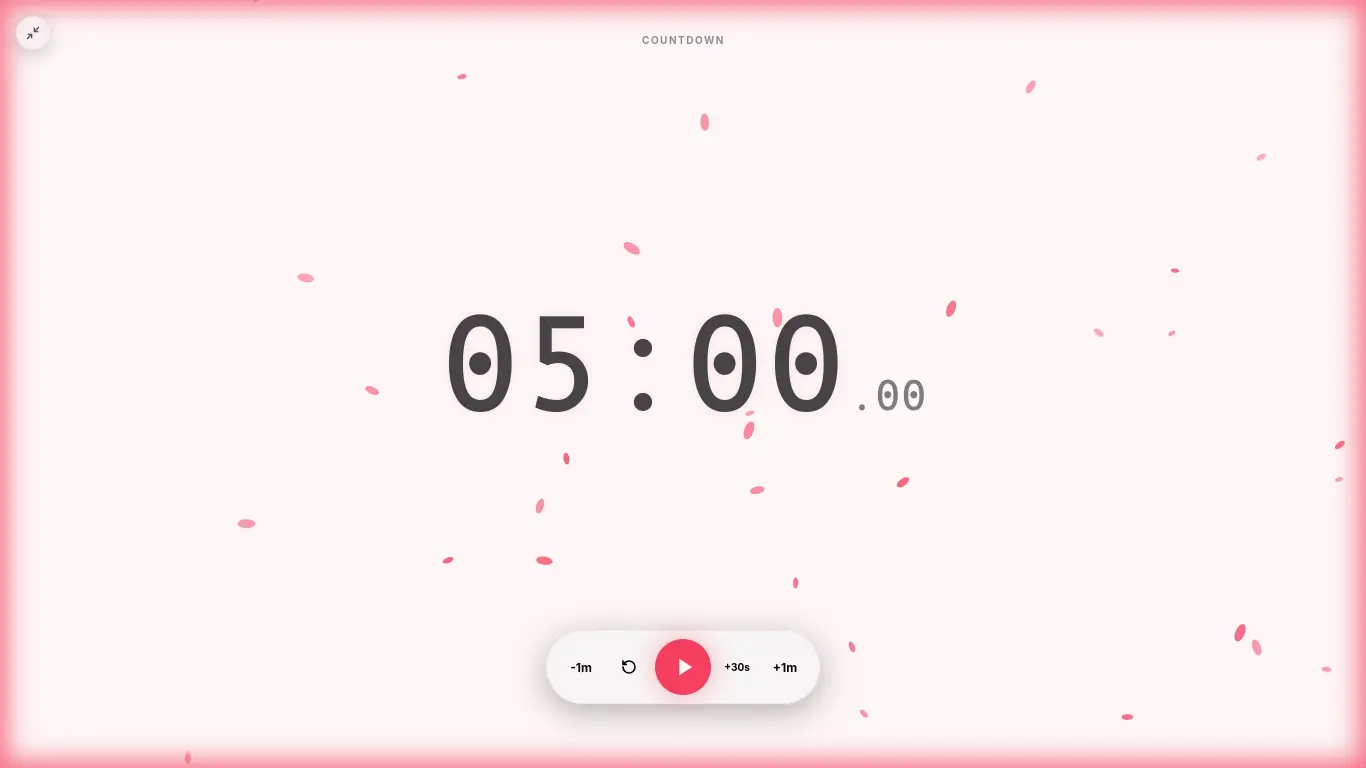
This auto-switching is one of those features you don’t appreciate until you’ve used a timer that doesn’t have it. Manually resetting between every interval gets old fast.
Step 3: Track Your Progress
The timer shows your current interval number and a visual progress ring. A full session (4 work intervals + 3 short breaks + 1 long break) runs about 2 hours. The progress ring fills up as you work, giving you a quick visual cue of how much time is left without having to read the numbers.
Step 4: Customize If Needed
Not everyone works best with 25/5. Open the Configurator to tweak your settings:
- Work interval length (10-60 minutes)
- Break interval length (1-30 minutes)
- Long break frequency (2-8 intervals)
- Long break duration (5-60 minutes)
Save your custom settings as a shareable link. This is useful if you want different setups for different types of work — maybe 25/5 for email and admin tasks, 50/10 for deep programming sessions. You can bookmark each one and switch between them throughout the day.
Common Pomodoro Adjustments and Timer Settings
Different tasks need different rhythms. Here are the most popular Pomodoro timer settings:
| Setup | Work | Break | Best For |
|---|---|---|---|
| Classic | 25 min | 5 min | General productivity, studying |
| 52/17 | 52 min | 17 min | Deep work, programming, writing |
| Short sprint | 15 min | 3 min | Low motivation days, ADHD |
| Extended | 50 min | 10 min | Creative work, design |
The short sprint setup is worth calling out specifically. On days when you’re struggling to focus, a 15-minute commitment is way easier to keep than 25. And once you start, you’ll often find yourself wanting to keep going past the timer. The hard part is starting, and the short sprint makes that easier.
The 52/17 split is popular in the programming community. It’s long enough to get into deep flow, but the 17-minute break is substantial enough that you can actually do something meaningful — make tea, take a quick walk, read a chapter. It came from a Reddit community that tracked their productivity data and found this was the sweet spot for knowledge work.
Keyboard Shortcuts for Pomodoro Sessions
CleanStopwatch supports keyboard shortcuts that make running sessions smoother:
- Space — Start or pause the timer
- R — Reset the current interval
- F — Toggle fullscreen mode
- L — Record a lap in stopwatch mode
These shortcuts mean you can control the timer entirely from the keyboard. Start your session with Space, pause it if you need to answer a question, reset if you got interrupted. No mouse clicking needed. It’s a small thing, but when you’re in the middle of a writing session and your flow is going, the last thing you want is to fumble for a button on screen.
The Science Behind the Pomodoro Technique
Studies back up interval-based focus. Here’s what the research shows:
Attention peaks early. Sustained focus drops off after 20-30 minutes. The brain simply isn’t wired for hours of uninterrupted concentration. The Pomodoro Technique works with your brain’s natural attention cycle instead of fighting against it.
Breaks reduce errors. Micro-breaks lower mistake rates in repetitive tasks. A study from the University of Illinois found that brief diversions from a task can dramatically improve focus on that task for long periods. The break resets your attention, and you come back sharper. This is why the Pomodoro break isn’t optional — it’s the part of the system that keeps you accurate.
Task-switching costs are real. Switching contexts can cost you up to 23 minutes of lost focus per interruption. That’s from a study at the University of California. Every time you stop to check a notification or answer a message, it takes your brain that long to get back into the same depth of focus. Pomodoro protects your window by giving you permission to ignore everything else for 25 minutes.
Dopamine cycling. Short, achievable goals (like finishing intervals) give you regular little dopamine hits. Each completed interval feels like a small victory, which keeps you motivated to start the next one. This is why tracking your completed intervals matters — seeing five or six in a row feels good, and that feeling keeps you coming back.
Common Mistakes Beginners Make
Skipping breaks. The most common mistake. You finish an interval, you’re on a roll, so you skip the break and keep going. This works for an interval or two, then your focus crashes hard. Take the breaks. They’re not optional. The technique only works if you actually rest between intervals.
Multitasking during work intervals. Pomodoro means one task per interval. If you’re writing code while answering Slack messages, you’re not doing Pomodoro. You’re just using a timer while multitasking. Pick one thing, do only that thing. Everything else can wait.
Checking email during breaks. A break means actually breaking. Scrolling through email or social media doesn’t rest your brain — it just switches the type of input. Stand up, walk around, look at something far away. Your eyes and brain will thank you. The best breaks involve physically moving away from your desk.
Using the wrong interval length. The classic 25/5 isn’t magic. If you find yourself consistently hitting a groove right when the timer goes off, try a longer interval. If you’re struggling to make it to 25 minutes, try a shorter one. The technique is a starting point, not a religion. Experiment until you find what works for you.
Not writing down distractions. The biggest differentiator between people who stick with Pomodoro and people who give up is whether they actually write down the distracting thoughts. That email you just remembered will still need a reply in 20 minutes. Write it down, let it go.
Combining Pomodoro with Other Methods
Pomodoro plays well with other productivity systems. Here are a few combinations worth trying:
Pomodoro + Getting Things Done (GTD). Use GTD to capture and organize your tasks, then use Pomodoro to execute them. The combination is powerful because GTD handles the “what” and Pomodoro handles the “when.” Your GTD next-actions list becomes your Pomodoro task queue. Pick one, start the timer, go.
Pomodoro + Time Blocking. Block out your day into themed chunks (deep work, meetings, admin), then use Pomodoro intervals within each block. The intervals keep you focused, and the time blocks make sure you’re working on the right type of task. This prevents the “I did eight Pomodoros but none of them were on my priority” problem.
Pomodoro + Eisenhower Matrix. Sort tasks by urgent and important. Use your peak focus hours (usually morning) for important-but-not-urgent tasks using Pomodoro intervals. Save the urgent-but-not-important stuff for when your focus is already fading. The structure of Pomodoro prevents urgent but unimportant tasks from eating your whole day.
Pomodoro Pro Tips for Better Focus
Batch admin tasks. Under 2 minutes? Do it now. Otherwise, schedule it into a Pomodoro block dedicated to email, invoicing, or other admin work. Don’t let quick tasks interrupt your focus intervals.
Use a physical notepad. Write down random thoughts on paper during a session. Sort them out during your break. The physical act of writing helps get the thought out of your head without acting on it. There’s something about pen and paper that makes this more effective than typing into a phone.
Don’t skip breaks. A 5-minute reset makes a difference for your next interval. Use a 5-minute break timer to stay honest. Do something physical during breaks — stretch, walk around the room, refill your water bottle. The more you move, the more your brain resets.
Track your completions. Count up your finished intervals at the end of each day. This data helps you estimate future tasks way more accurately. After a few weeks, you’ll know roughly how many intervals a typical task takes, which makes planning your day much easier. You’ll also start noticing patterns — which types of tasks drain you fastest, what time of day you’re most productive, how many intervals you can realistically do in a day.
Match intervals to energy levels. Your morning intervals might be 50 minutes of deep work. Your post-lunch intervals might be 15 minutes of light tasks. That’s fine. Adjust as the day goes on. Trying to maintain the same interval length all day is like trying to run the same pace for a marathon and a sprint.
The first interval is the hardest. If you’re struggling to start, commit to just one Pomodoro. That’s 25 minutes. If after that you want to stop, stop. But you won’t want to stop — starting is the part that takes energy, not continuing.
Why CleanStopwatch for Pomodoro
CleanStopwatch is built for Pomodoro: no signup required, full-screen mode, keyboard shortcuts, and a customizable Configurator. Use it on any device — desktop, tablet, or phone. The free tier gives you 5 themes, 2 sounds (Default Chime and Classic Beep), and up to 120-minute intervals. Pro adds custom accent colors (full hex picker), 13 themes, 16 sounds, and an ad-free experience.
Ready to start? cleanstopwatch.com/timer